Docgrity logo

Docgrity for VS Code

Find where your repository's markdown docs disagree with themselves — duplicates, contradictions and open questions, with evidence — and raise GitHub issues to fix them.

Install from the VS Code Marketplace — Free How it works Privacy

Uses your own GitHub Copilot subscription (or a local model). No API keys, no servers, nothing leaves your editor except your own model calls. Prefer the terminal? There's a CLI too: npm i -g docgrity.

Setup — under a minute

  1. Install: open the Extensions view in VS Code (⇧⌘X), search Docgrity, click Install — or run code --install-extension ujjavala.docgrity.
  2. Sign in to Copilot if you aren't already — or pick a different model (Claude, GPT, or a fully local Ollama model) with ⇧⌘PDocgrity: Select AI model. See model setup for all options, including remote models via Cloudflare Tunnel.
  3. Open a repo that contains markdown docs (READMEs, ADRs, runbooks, guides).
  4. Scan: ⇧⌘PDocgrity: Scan repository docs. Findings appear in the Docgrity view in the activity bar, with squiggles on the evidence — or click Open report for an interactive dashboard with severity filters, evidence, owners and clickable doc paths.
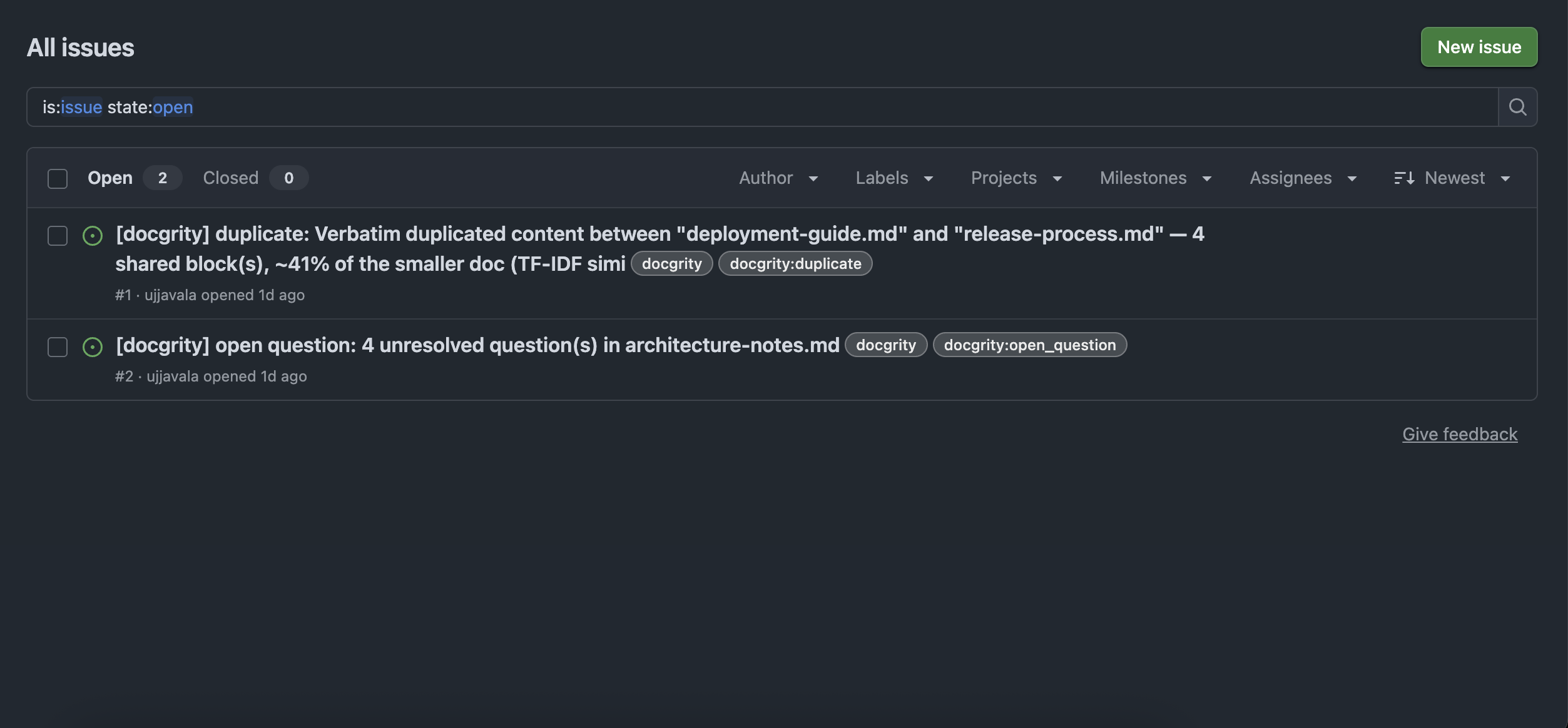
  5. Act: right-click a finding → Raise GitHub issue. Docgrity drafts the issue with evidence and a suggested next step; nothing is posted until you approve.

What it finds

Duplicates

Docs that should be one

Near-identical documents detected semantically, with a recommended action.

Contradictions

Facts that don't agree

Conflicting dates, owners, numbers and processes — with the conflicting claims quoted side by side.

Open questions

Questions nobody answered

Unanswered questions and stale TODOs living inside your docs, surfaced with potential owners from git history.

Why it's different

Zero infrastructure

Runs 100% inside VS Code. No vendor servers, no accounts, no telemetry.

Your Copilot, your models

All AI calls go through VS Code's language-model API using your own Copilot subscription — or a local model (e.g. Ollama).

Evidence, always

Every finding quotes the exact text it's based on, verified verbatim against your files. Ownership is always labelled potential, never asserted.

Humans approve actions

The extension never posts anything on its own. Every GitHub issue is shown to you as a draft first.

Settings that matter

docgrity.mode

report-and-issue (default) or report-only — which hides and blocks issue creation entirely, guaranteeing the extension never posts anywhere. Set per-workspace to keep client repos read-only.

docgrity.checks.*

Toggle each check independently — duplicates, contradictions, open questions — in any combination. Fewer checks, faster scans.

docgrity.include / exclude

Globs for docs to scan. Default **/*.md — markdown only, by design. node_modules, build output, and git-ignored files are always excluded.

docgrity.model.vendor / family

Pick the language model — or just run Docgrity: Select AI model. Copilot, Claude, GPT, or a local Ollama model for fully local scanning. All options.

docgrity.thresholds.*

Minimum confidence per finding type. Raise them for fewer, surer findings.

docgrity.maxFiles / maxPairs

Scan caps (200 files / 25 pairs by default) to keep scans fast and model usage modest.

Also: a CLI and a GitHub Action

CLI — npm i -g docgrity

Run docgrity scan --open in any repo for an interactive HTML dashboard: findings by type, severity filters, evidence, doc links and potential owners. Read-only by design — the CLI never posts anything. Same flags as the extension's settings: --checks, --thresholds, --provider ollama|gemini|openai|anthropic. Defaults to a local Ollama model — fully private. docgrity --help for everything.

GitHub Action — continuous enforcement

Add uses: ujjavala/docgrity-vscode/action@main to CI for scheduled scans with a job-summary report — and, opt-in, deduplicated GitHub issues that auto-close when findings are resolved. Action docs.