Docgrity logo

How Docgrity works

A real walkthrough on a live Confluence site — from a full scan to owners being notified. Nothing is edited or archived without a human clicking "Yes, do it".

1Run a scan

Open Docgrity from the Confluence Apps menu and hit Run full scan. It works out of the box with built-in heuristics (no AI key needed) for duplicates and open questions; add your own AI provider key to unlock contradiction detection. The agent reads your pages, compares claims across pages and produces open findings grouped by type and severity — shown as clickable tiles. Here: 129 findings — 16 duplicates, 10 contradictions and 103 open questions.
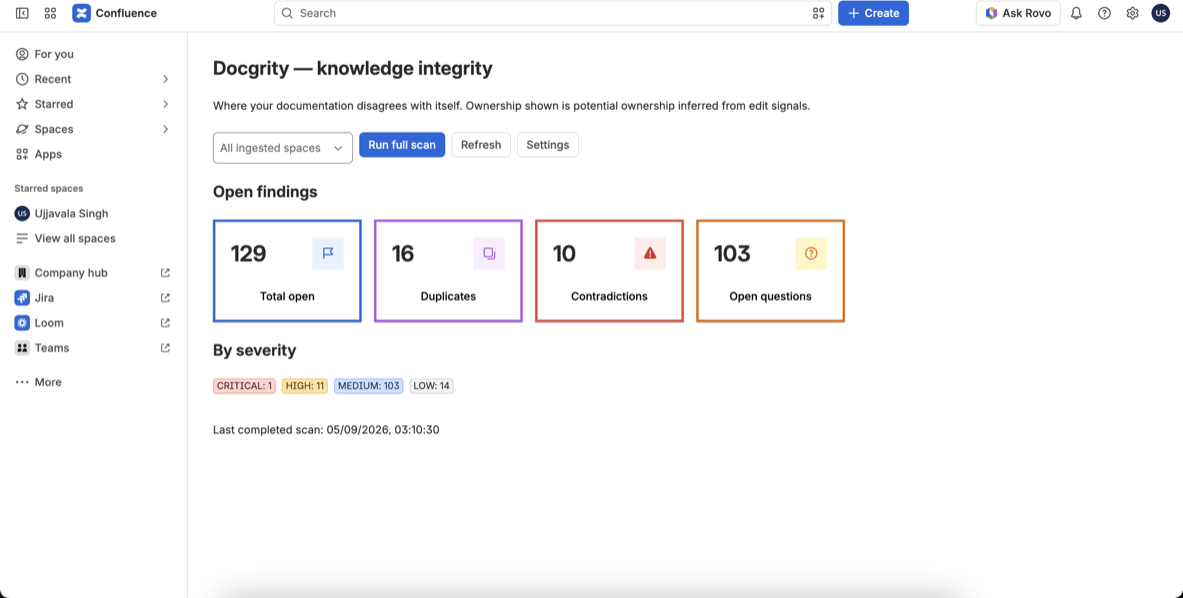
Docgrity overview dashboard showing 129 open findings as colour-coded tiles with severity breakdown
The overview dashboard after a completed scan: click any tile to drill into that finding type.

2Review every finding — with evidence

Each finding shows its severity, confidence, the potential owner (inferred from edit history, never asserted) and a recommended action — review, merge or ignore. Filter by severity to triage the critical ones first.
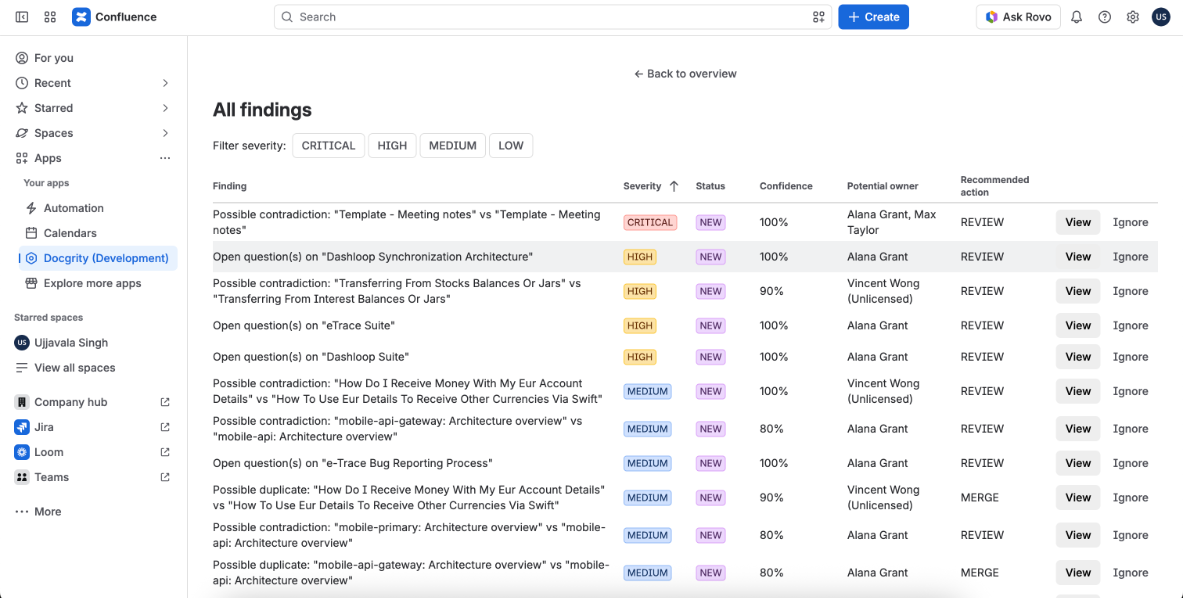
All findings list with severity, confidence, potential owner and recommended action columns
The findings list: contradictions, duplicates and open questions ranked by severity and confidence.

Scenario A · Contradiction

Two templates record decisions differently

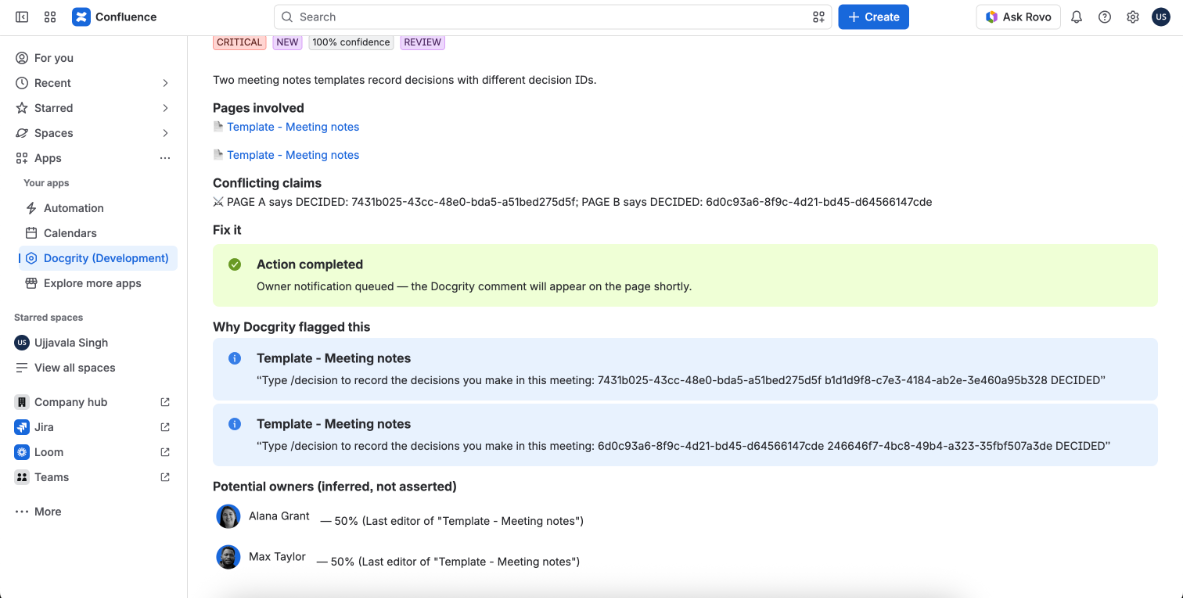
Docgrity flagged a critical contradiction: two "Meeting notes" templates record decisions with different decision IDs. It quotes the exact conflicting claims from both pages, side by side.
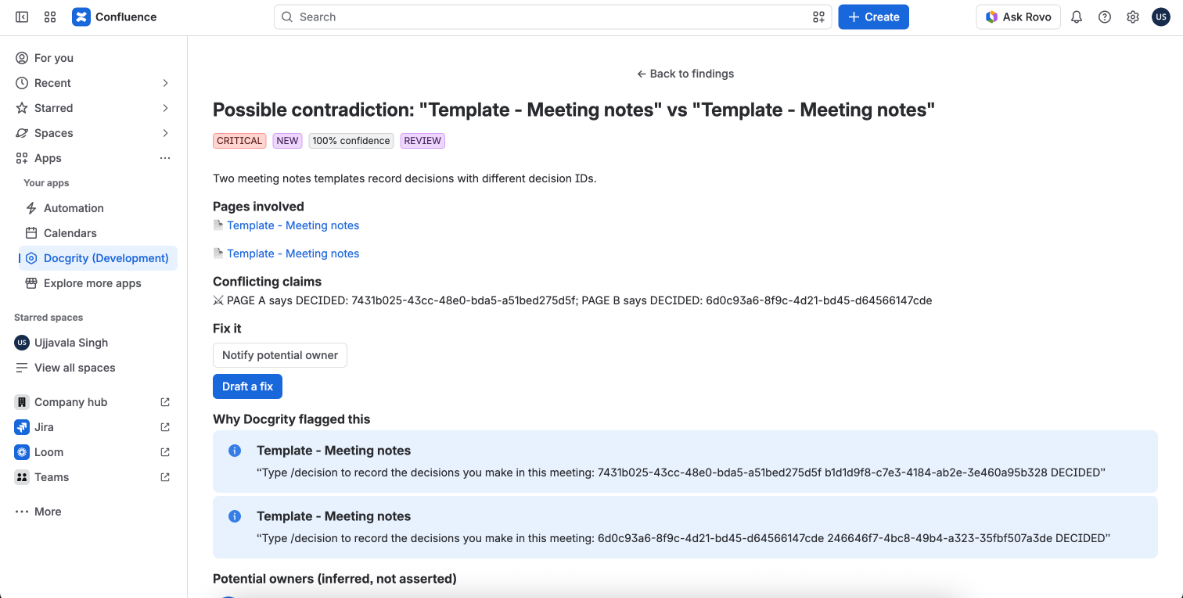
Contradiction finding detail with conflicting claims quoted from both pages
The finding detail: pages involved, the conflicting claims, and inferred potential owners.

Choose Notify potential owner. Docgrity always confirms before acting — no silent changes, ever.
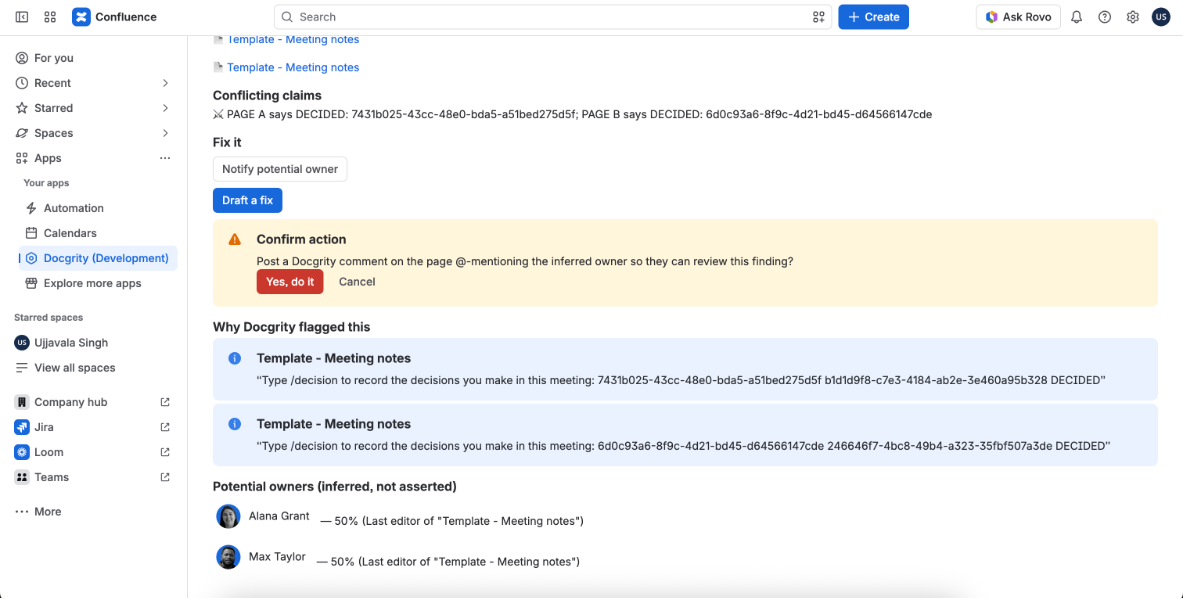
Confirm action prompt asking to post a Docgrity comment mentioning the inferred owner
The human-approval step: the action only runs after you click "Yes, do it".
Action completed banner showing the owner notification was queued
Action completed — the notification is queued and the audit trail records who approved it.

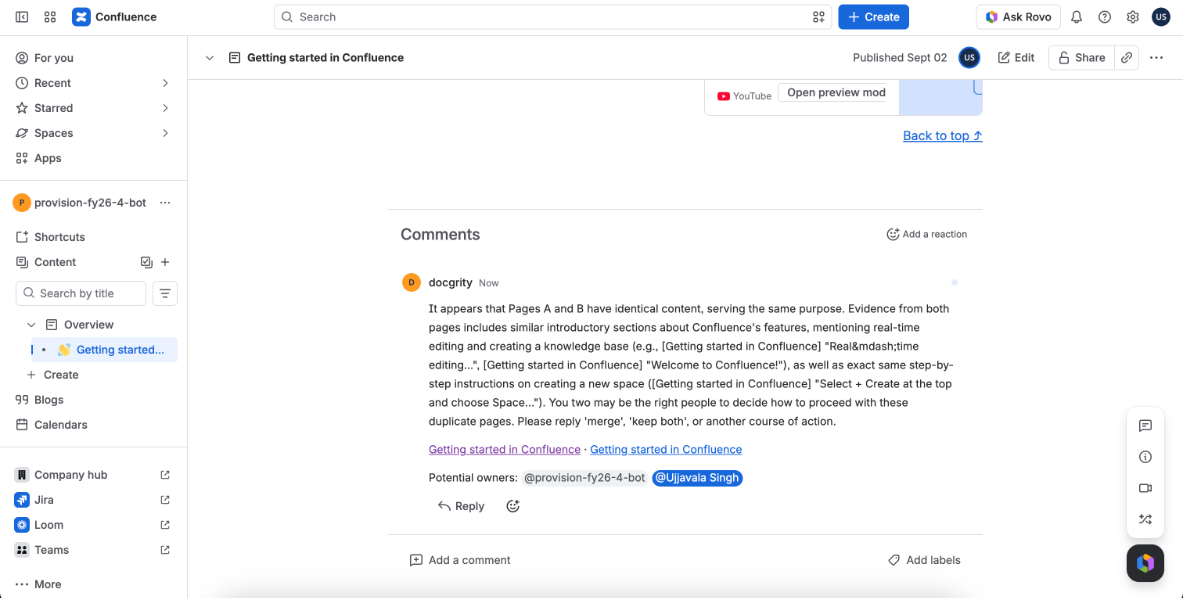
Docgrity posts a comment on the actual page, explaining the conflict in plain language and @-mentioning the potential owners so they can resolve it.
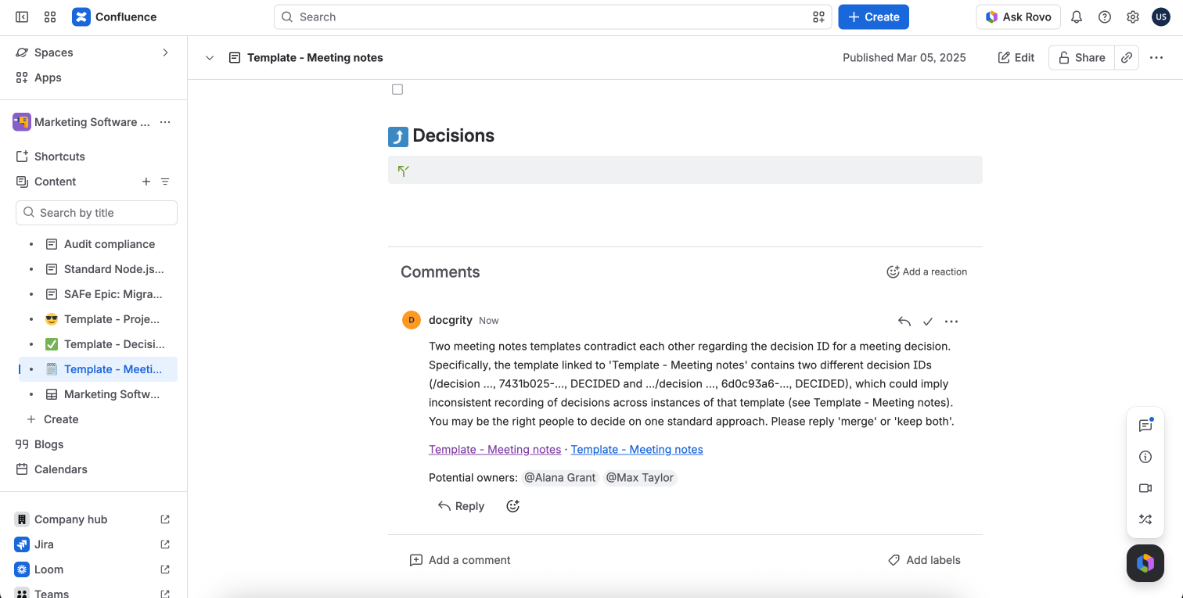
Docgrity comment on the Confluence page explaining the contradiction and mentioning owners
The comment lands on the page itself, where the owners already work.

Scenario B · Duplicate

Two pages saying the same thing

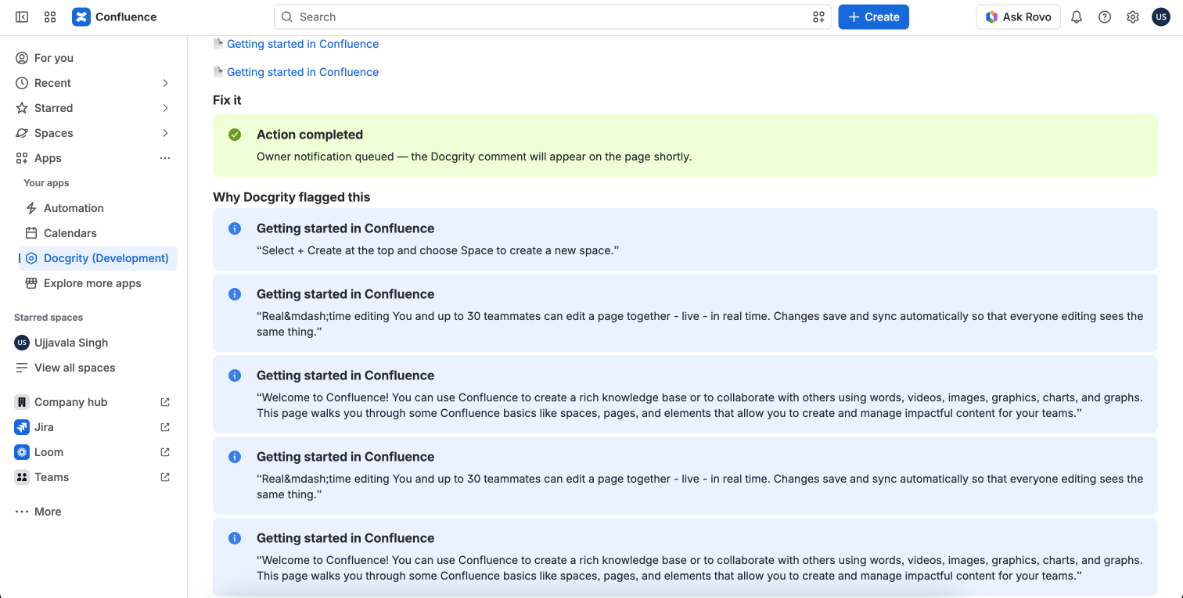
Two "Getting started in Confluence" pages have near-identical content. Docgrity quotes the matching passages from both pages and suggests which one to keep.
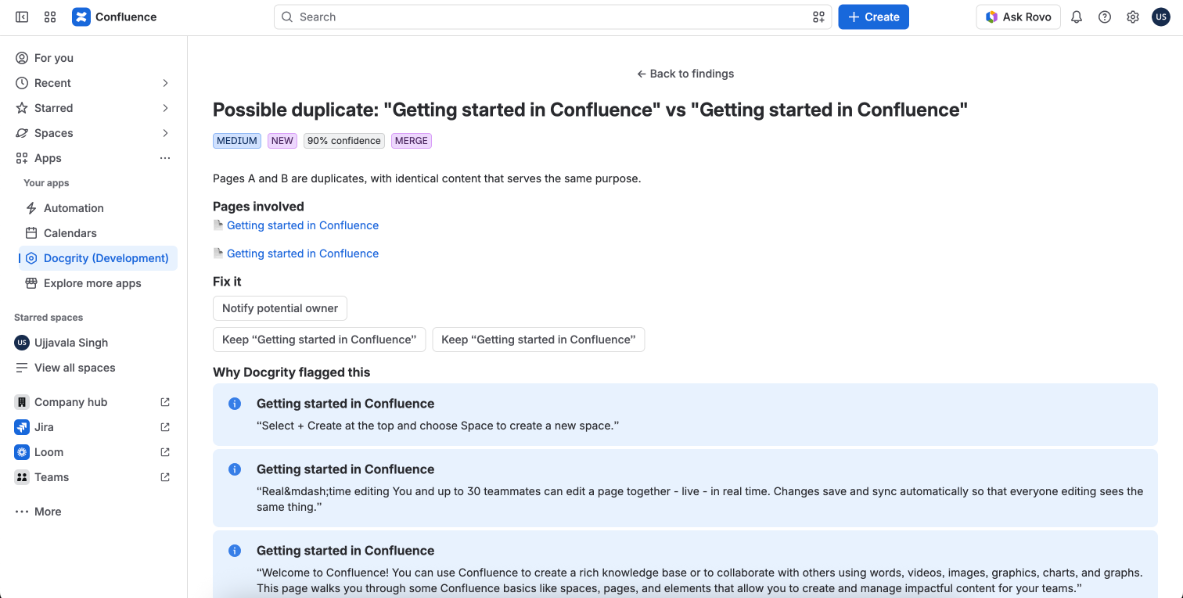
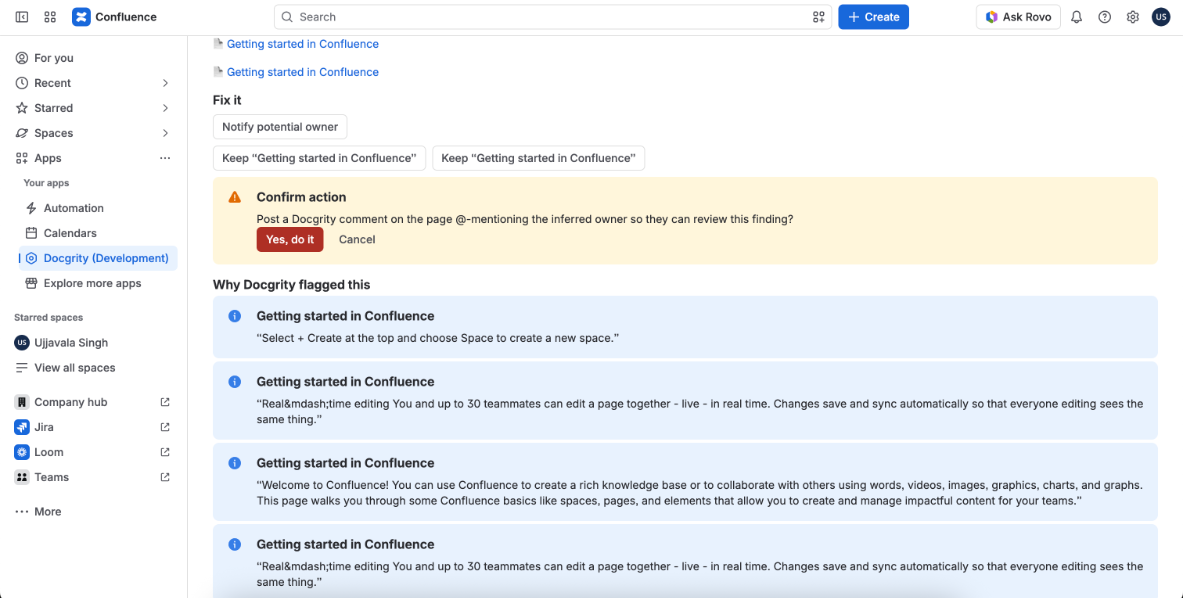
Duplicate finding detail comparing two Getting started pages with quoted evidence
The duplicate finding: evidence from both pages and keep-A / keep-B options.
Confirm action prompt for the duplicate finding
Same approval flow — confirm before anything happens.
Action completed for the duplicate finding
Owner notification queued for the duplicate pair.
Docgrity comment on the duplicate page suggesting merge or keep-both, mentioning owners
Owners get a clear ask: reply "merge", "keep both", or another course of action.

Scenario C · Open question

Questions nobody ever answered

Docgrity also finds open questions — unanswered questions and unresolved TODOs living inside pages. Each one is ranked by severity with the exact excerpt it came from.
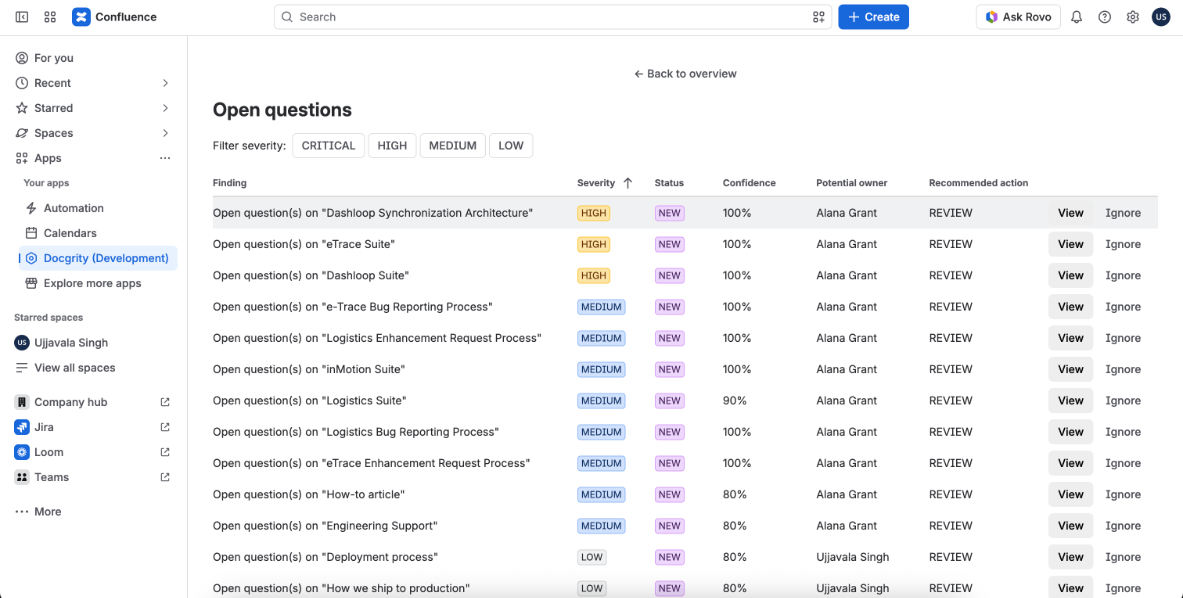
Open questions findings list ranked by severity with potential owners
Thirteen open questions found across the space, ranked by severity and confidence.

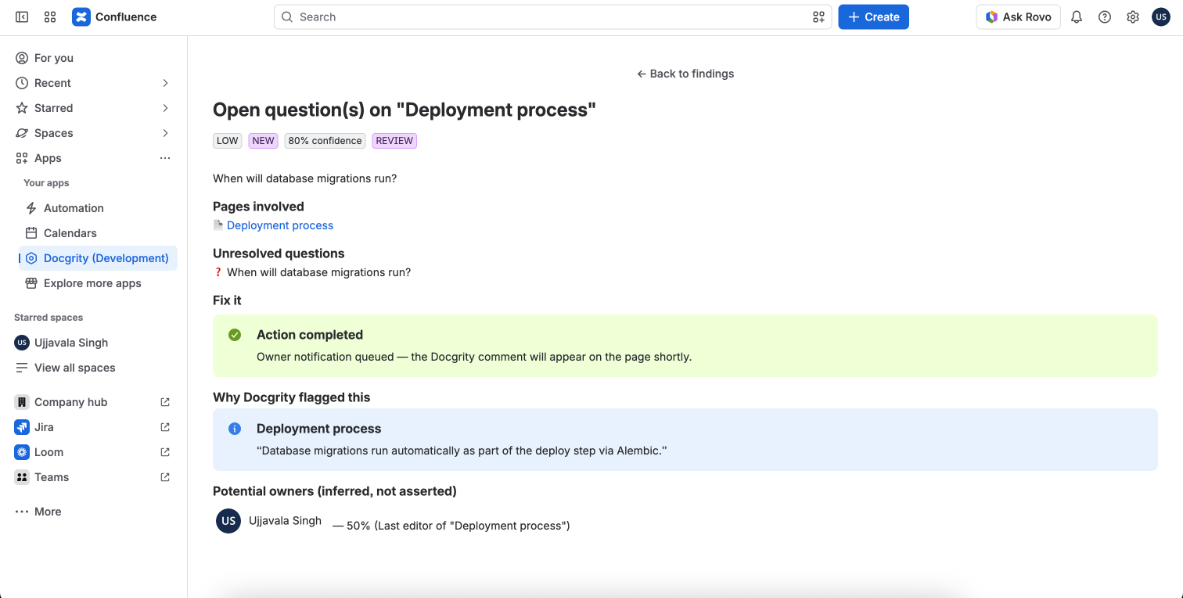
Opening one shows the unresolved question, the page it lives on, and the passage that raised it — here, "When will database migrations run?" from the Deployment process page.
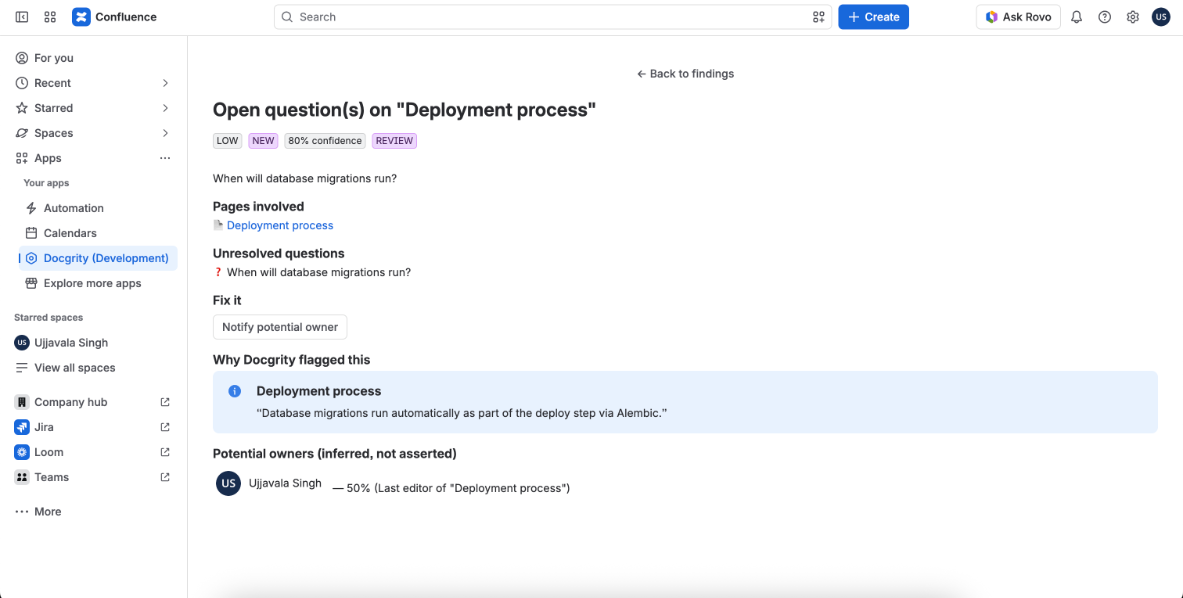
Open question detail showing the unresolved question, evidence excerpt and potential owner
The finding detail: the question, the source excerpt, and the inferred potential owner.
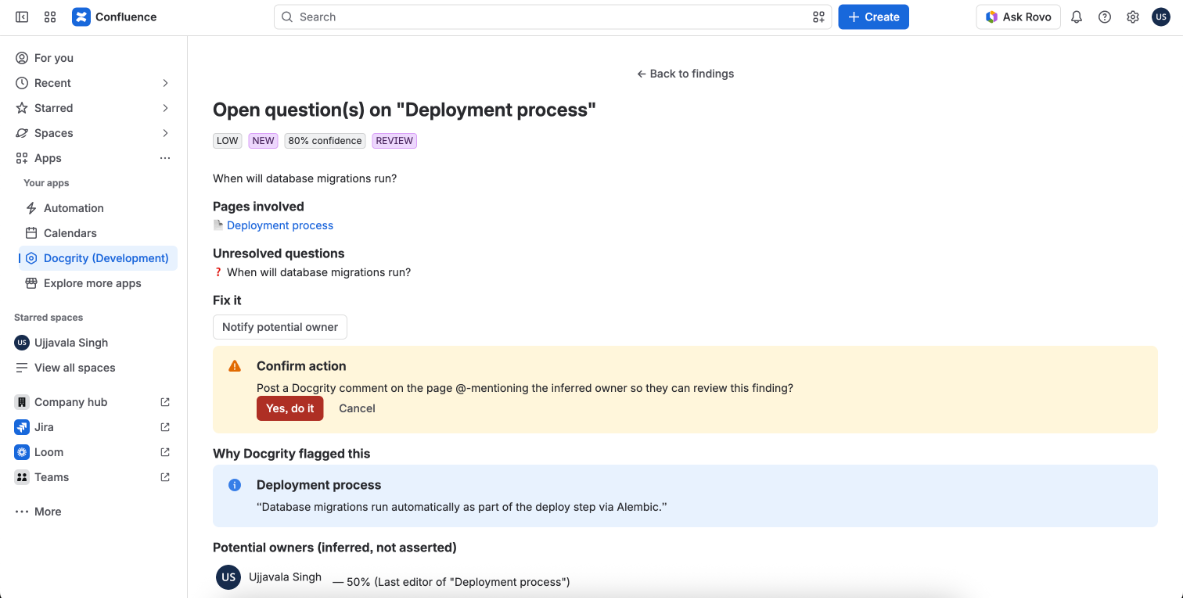
Confirm action prompt before notifying the owner of the open question
Same rule as always — nothing happens until you confirm.
Action completed for the open question finding
Owner notification queued.

The comment Docgrity posts asks a specific, answerable question — the owner can close it out with a one-line reply.
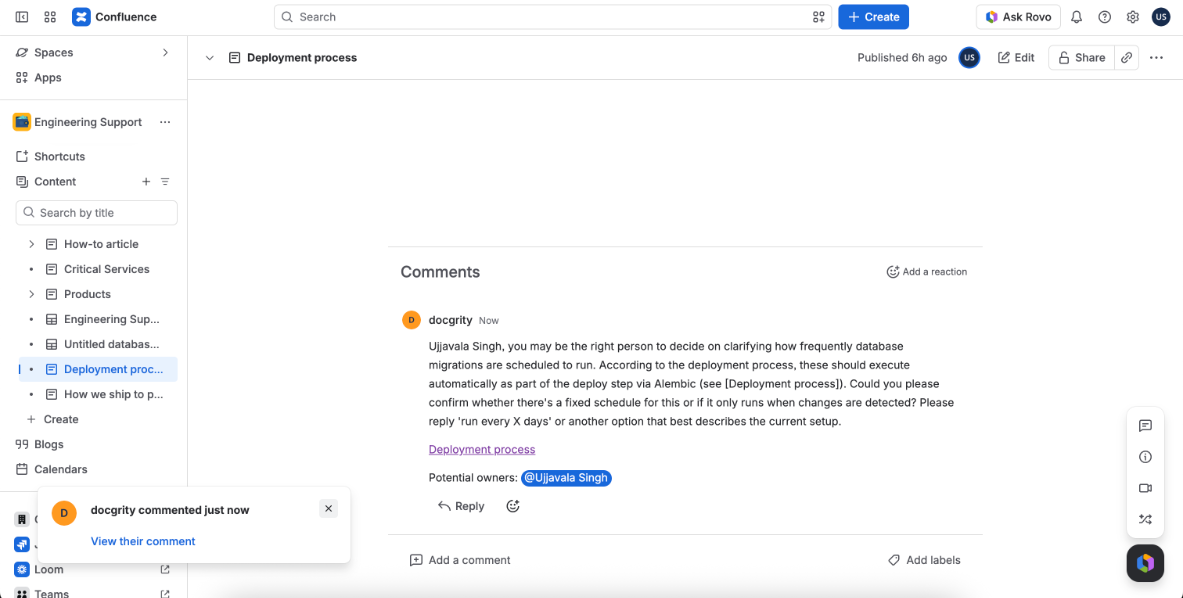
Docgrity comment on the page asking the owner to clarify the migration schedule
A concrete ask on the page itself: confirm the schedule or reply with the correct one.

3Owners get notified where they already are

Because Docgrity uses native Confluence comments and @-mentions, owners see findings in their normal Confluence notifications — no new tool to check.
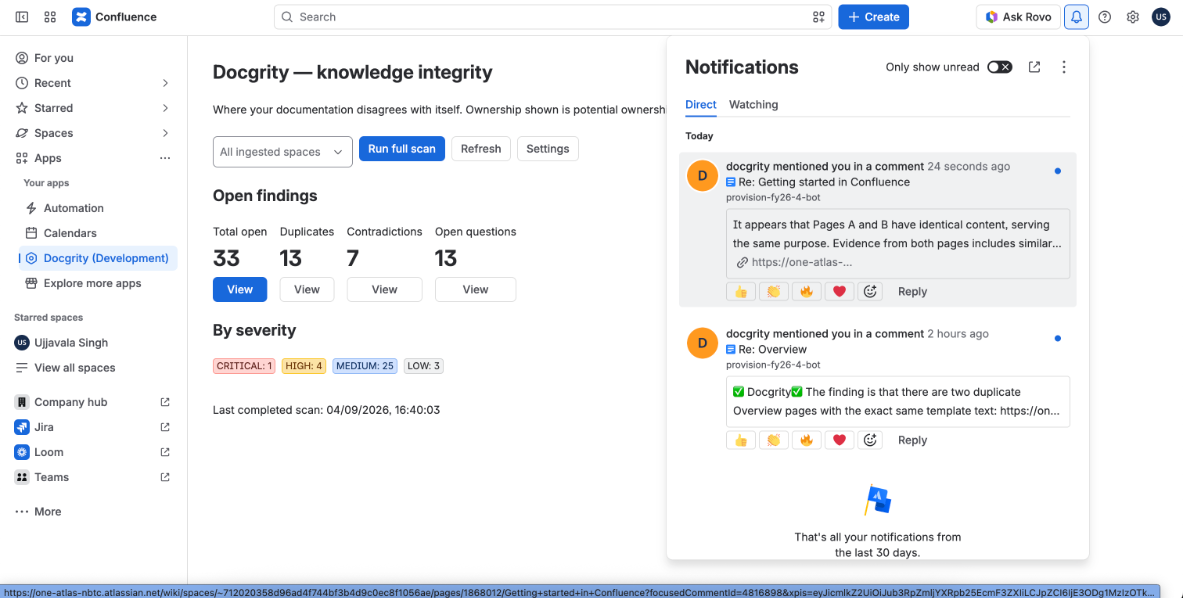
Confluence notifications panel showing Docgrity mention notifications
Native Confluence notifications from Docgrity's comments.

Try it on your own wiki

Free, installs in under a minute, and works instantly — no AI key needed. Add your own key later for contradiction detection.

Get Docgrity